Happ for Android

Happ is a modern, fast and minimalist mobile client for managing proxy servers, built on the Xray-core engine.
The app is made for people who value a stable connection, privacy and a convenient interface. No more cluttered menus or complicated configurations: Happ makes it easy to import subscriptions, set up routing rules and enjoy open internet access without delays.
Important note: the Happ app does not provide VPN services and does not sell servers. It is a tool (client) for connecting to your own network infrastructure or to third-party providers.
Supported protocols:
The app easily handles all modern methods of bypassing restrictions and encrypting traffic:
- VLESS (including full Reality support for disguising traffic as real websites)
- VMess (V2ray)
- Trojan
- Shadowsocks / Socks
- Hysteria2
Key features of Happ:
Rule-based routing (Routing Rules): split your traffic right in the app. Send blocked resources through the proxy, and internal or banking apps directly through your home network.
Smart subscriptions: support for encrypted and hidden subscriptions with a built-in status bar (you can see your remaining traffic and expiry date right in the interface).
Instant ping: a convenient server latency check, so you can pick the fastest node in one tap.
Per-app proxying (Per-App Proxy): manually choose which apps on your Android device should use the secure tunnel and which should not.
Complete privacy: Happ respects your privacy. It does not collect logs, analyze your traffic or send data to external servers. Everything is stored locally on your device.
Advantages on Android:
Energy efficiency: the app is optimized for modern smartphone processors and doesn't drain the battery in the background.
One-click import: quickly add servers via QR code, the clipboard or JSON configuration files.
Stable TUN mode: the tunnel stays up reliably without traffic leaks when switching between Wi-Fi and mobile data.
Take full control of your internet traffic. Download Happ and set up a secure connection right now!
How to connect Happ on Android
You can download the Happ app here: https://
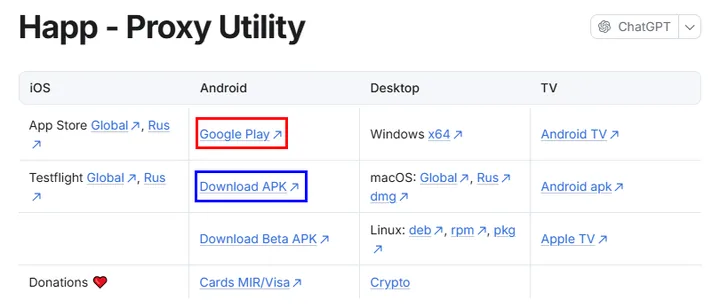
You can install it either from Google Play or via a direct link to the .apk installation file.
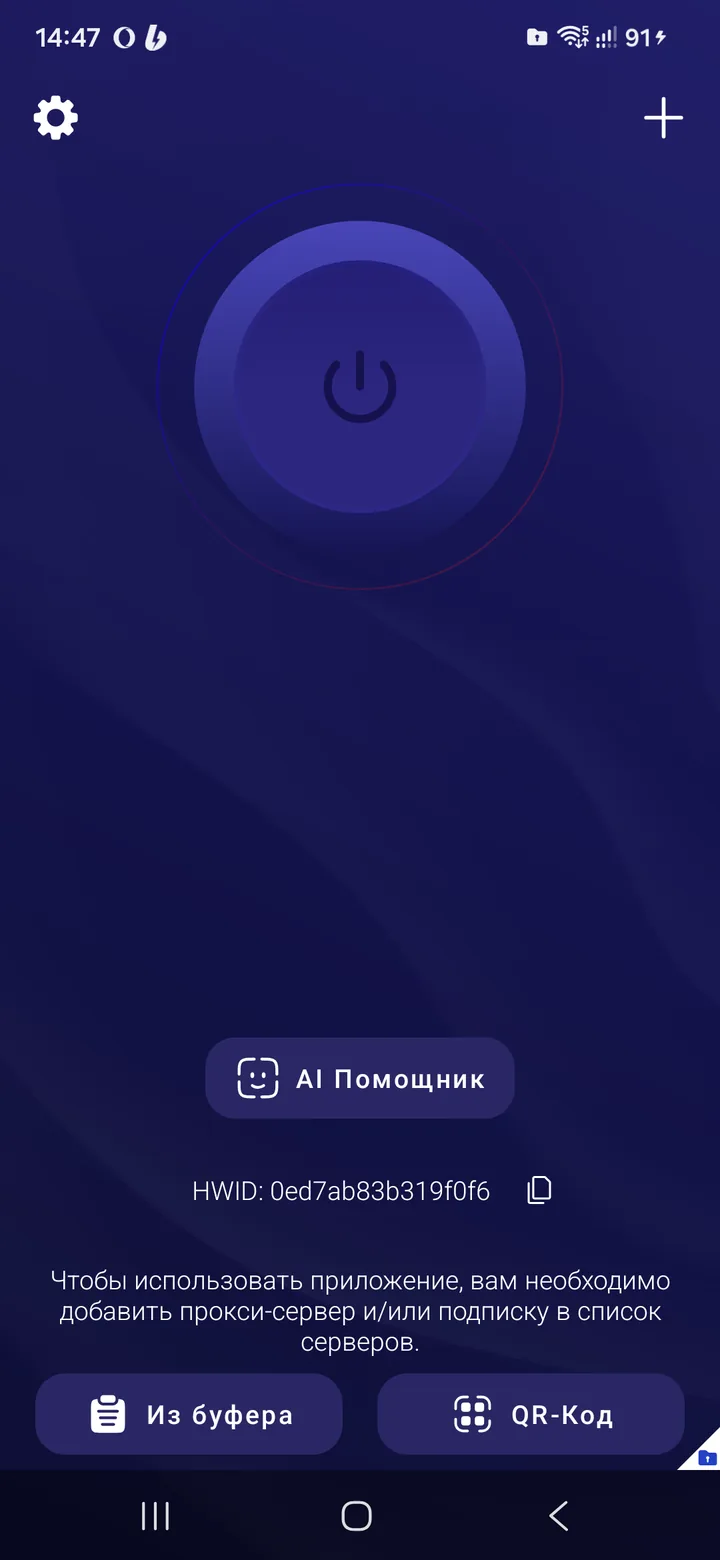
After installing Happ, launch it. This is what the app looks like when it opens.
After you pay for the selected location, you receive a subscription URL that looks like this:
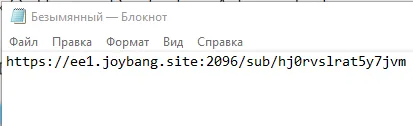
Open it and choose to export the subscription as a QR code and scan it, or copy the URL to the clipboard.
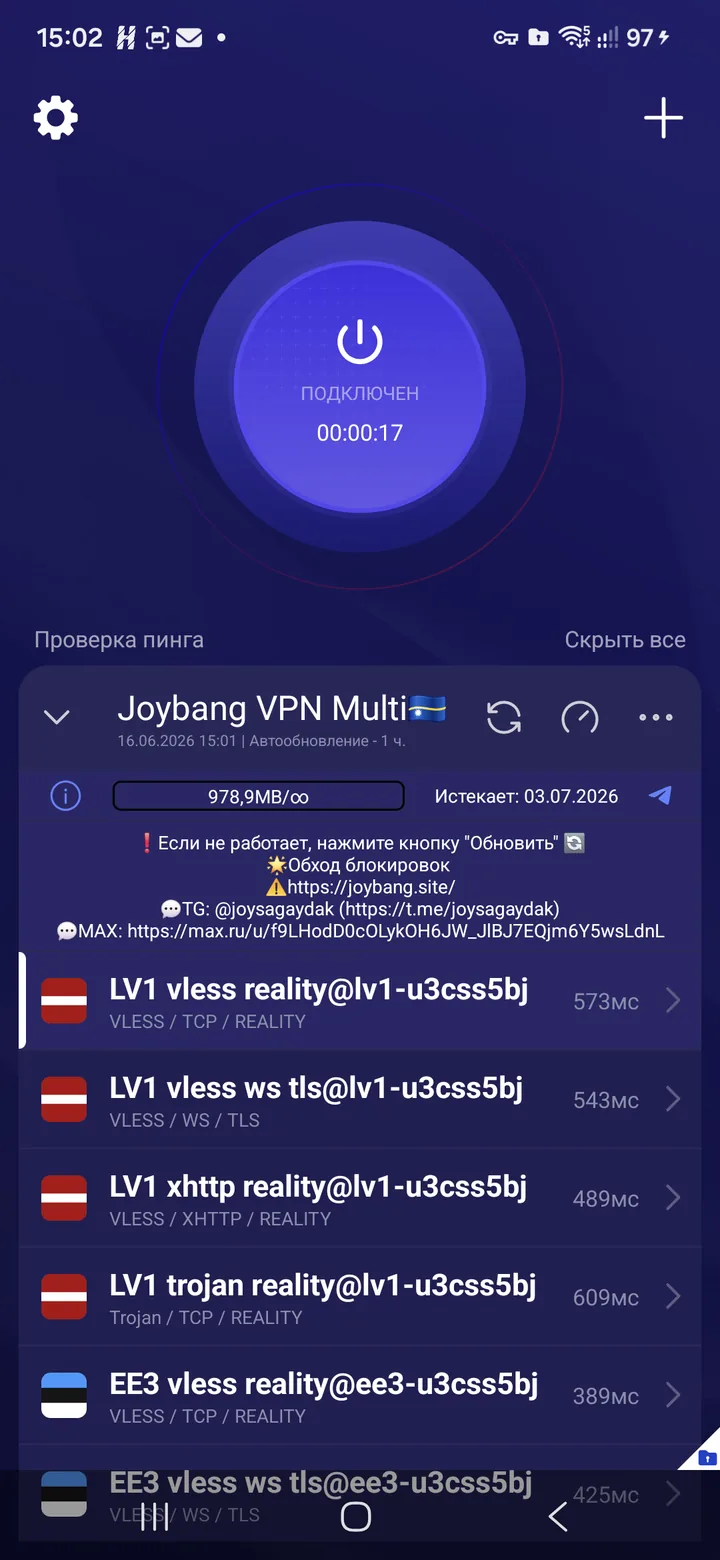
The Happ app with the imported subscription.
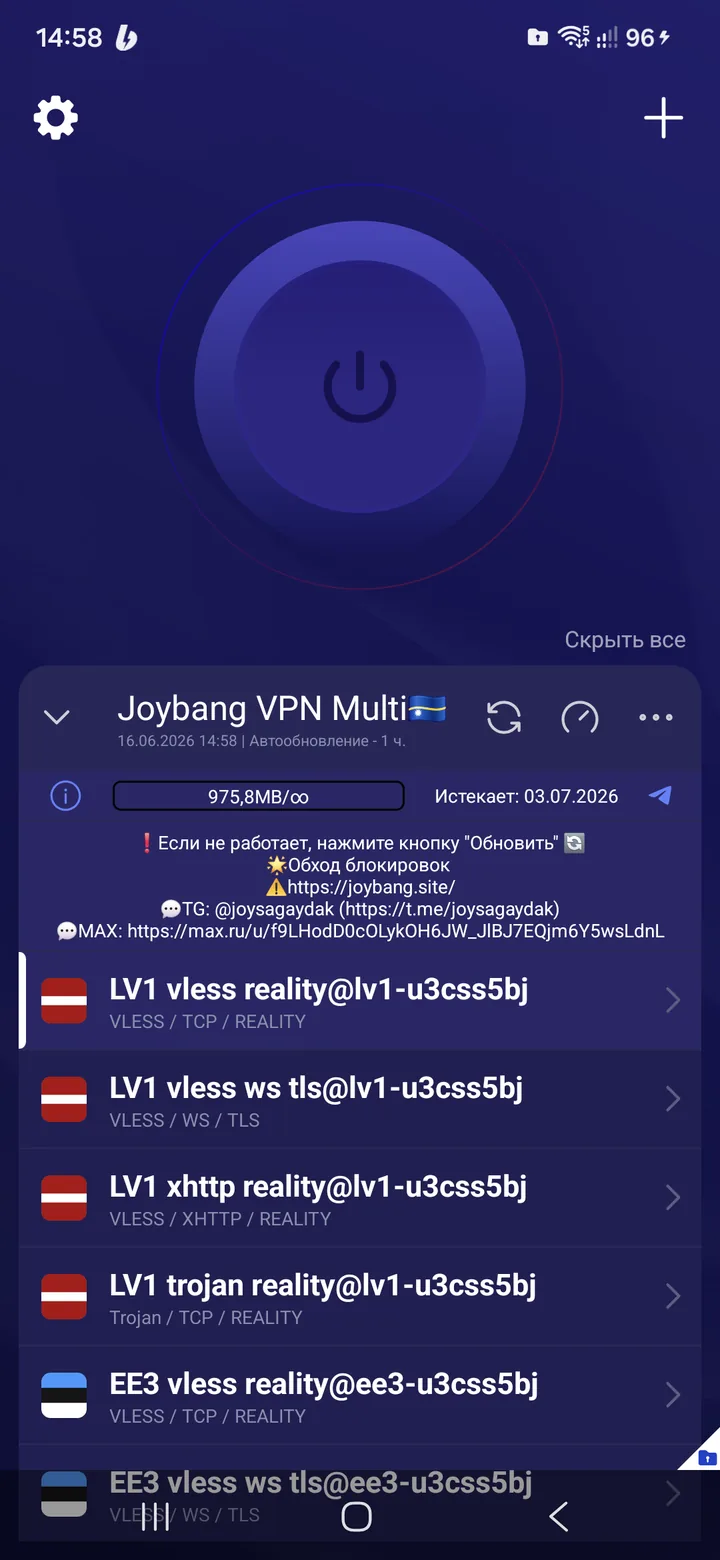
Take a look at the information included in the subscription; the expiry date is shown as well. Tap the server test button and choose the first connection option. Use the large button above to connect and disconnect.
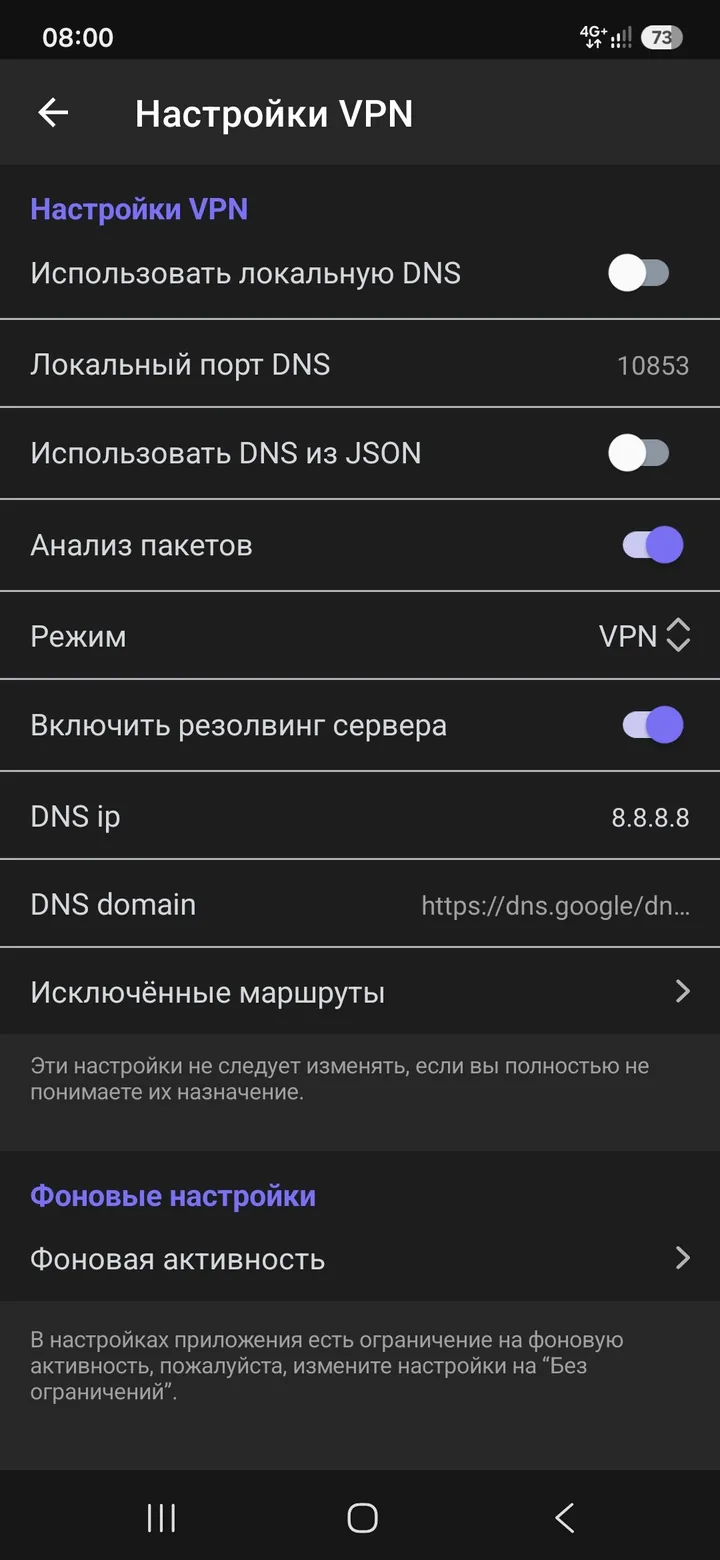
IMPORTANT! Go to Settings -> VPN Settings (Настройки -> Настройки VPN)
Turn off “Use local DNS” («Использовать локальную DNS») and turn on server resolving, as shown in the screenshot below:
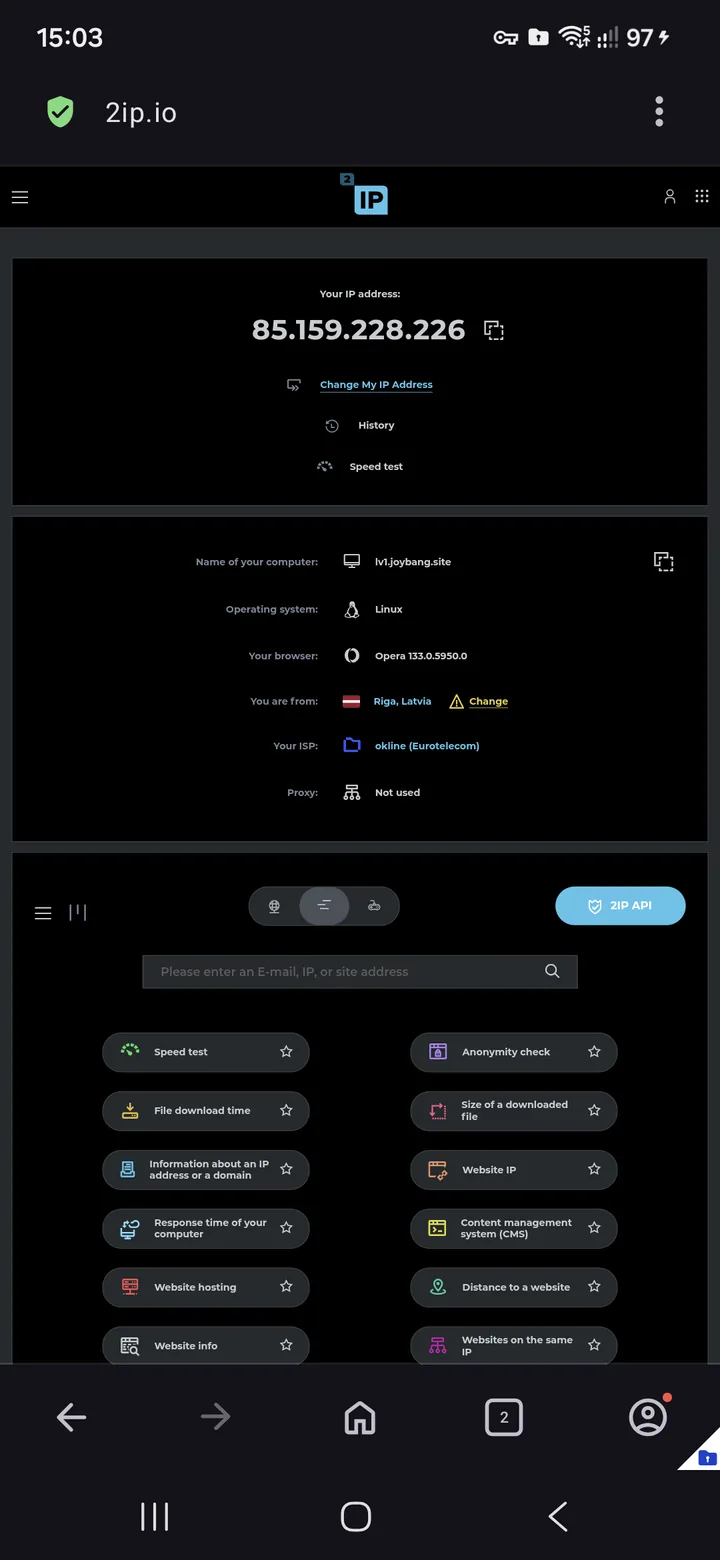
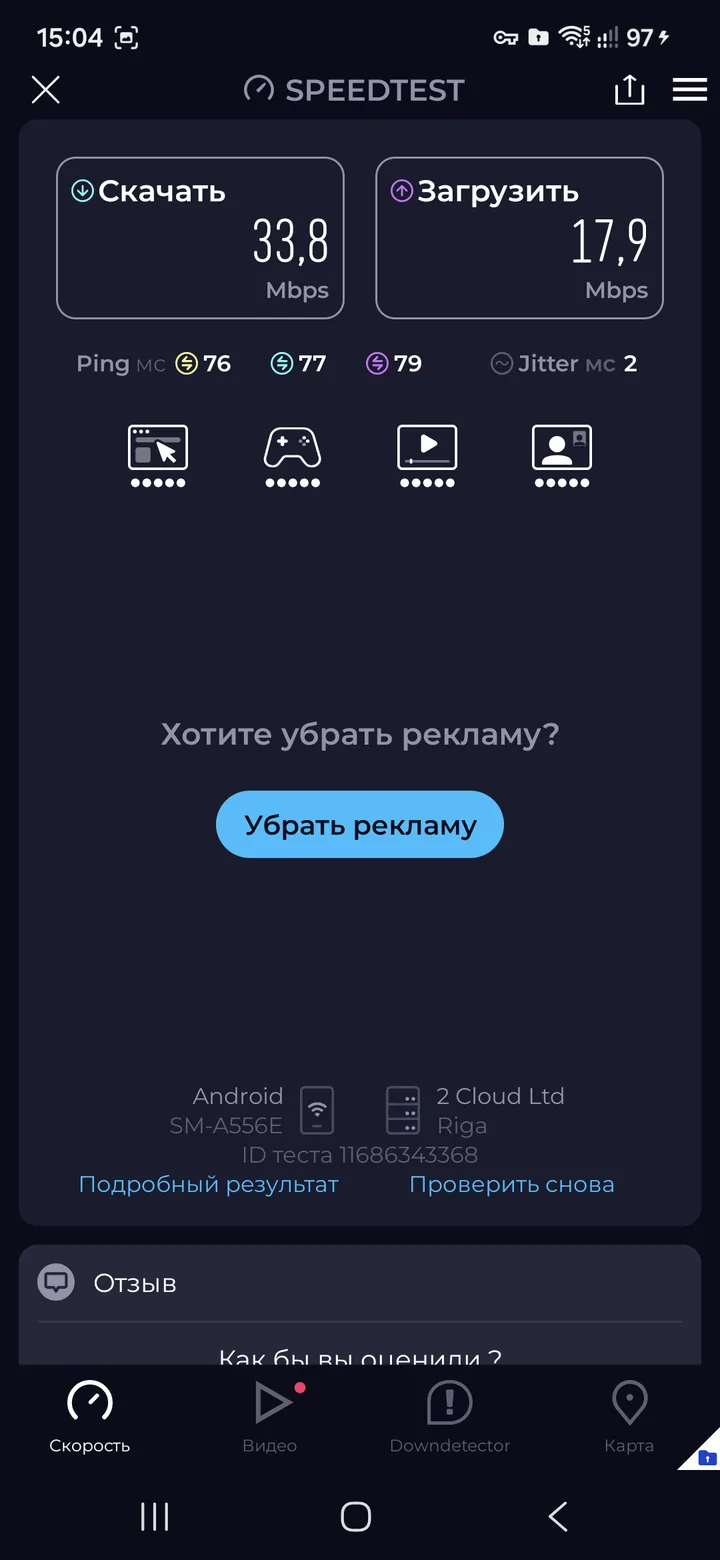
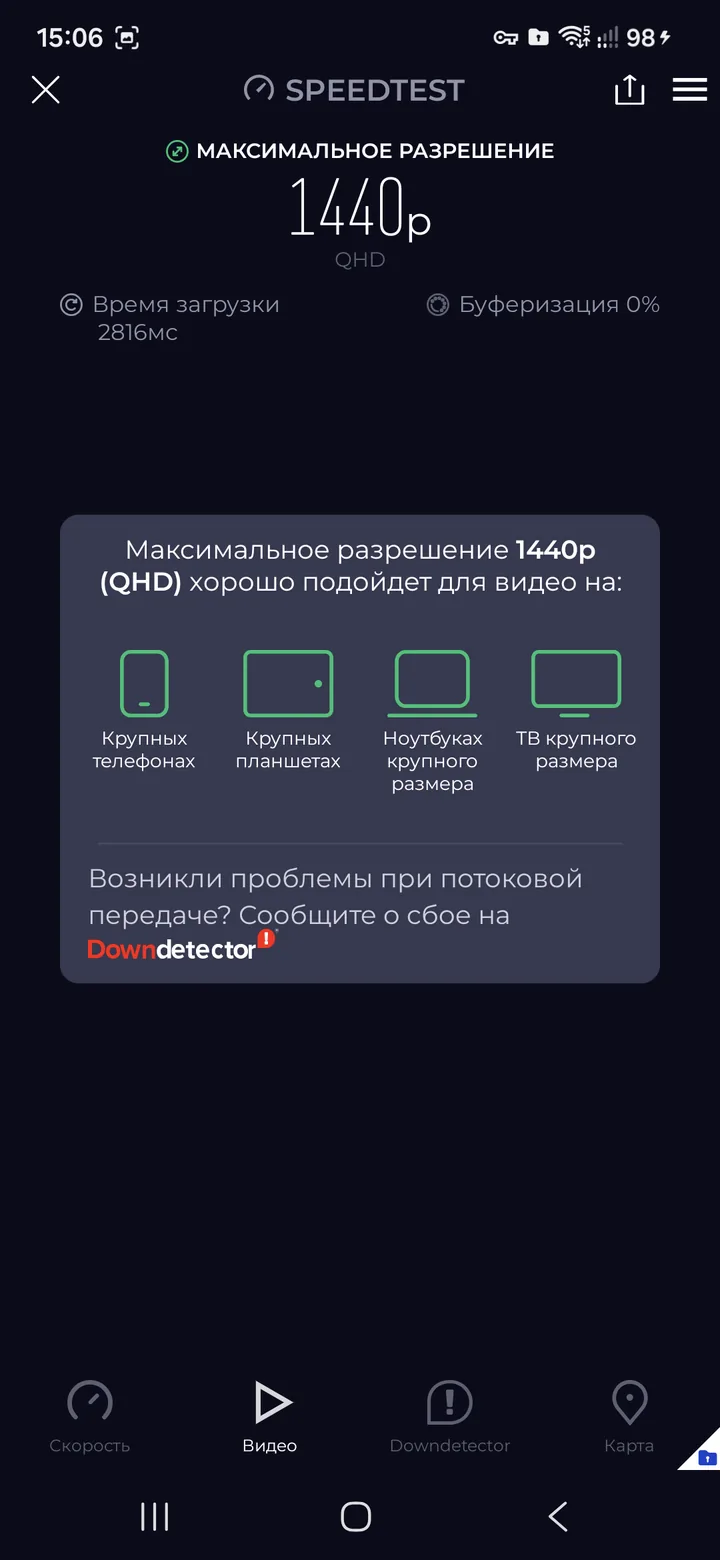
Let's open 2ip.io and the Speedtest app to measure the speed.
Enjoy!